

See the asset in 3D.
Explore high-fidelity 3D scan data through an interactive engineering environment. Atlas Scan gives teams secure browser-based access to digital twins, photographs, annotations and downloadable scan data.
A digital twin.
An engineering advantage.
See the detail. Understand the asset. Share the same perspective.
Bring your 3D scan, annotations and photographs together in one accessible engineering environment. Give your team a shared visual reference for investigation, collaboration and informed decisions.
A new perspective.
From every angle.
Navigate around the digital twin and explore the geometry, layout and components of the physical asset, wherever your team is working.
The detail matters.
Keep it connected.
Select annotated areas of interest and view associated photographs. Connect what you see in the scan with the detail you need to understand.
Open your browser.
Access your asset.
Give authorised users browser-based access to the digital twin. Download the underlying scan data when your next engineering task requires it.
One shared visual reference. A clearer foundation for your engineering decisions.
Everything you need
around the 3D scan.
Atlas Scan is designed as an engineering interface rather than simply a 3D model viewer. The digital twin sits alongside the information and supporting data engineers need to understand the physical asset.
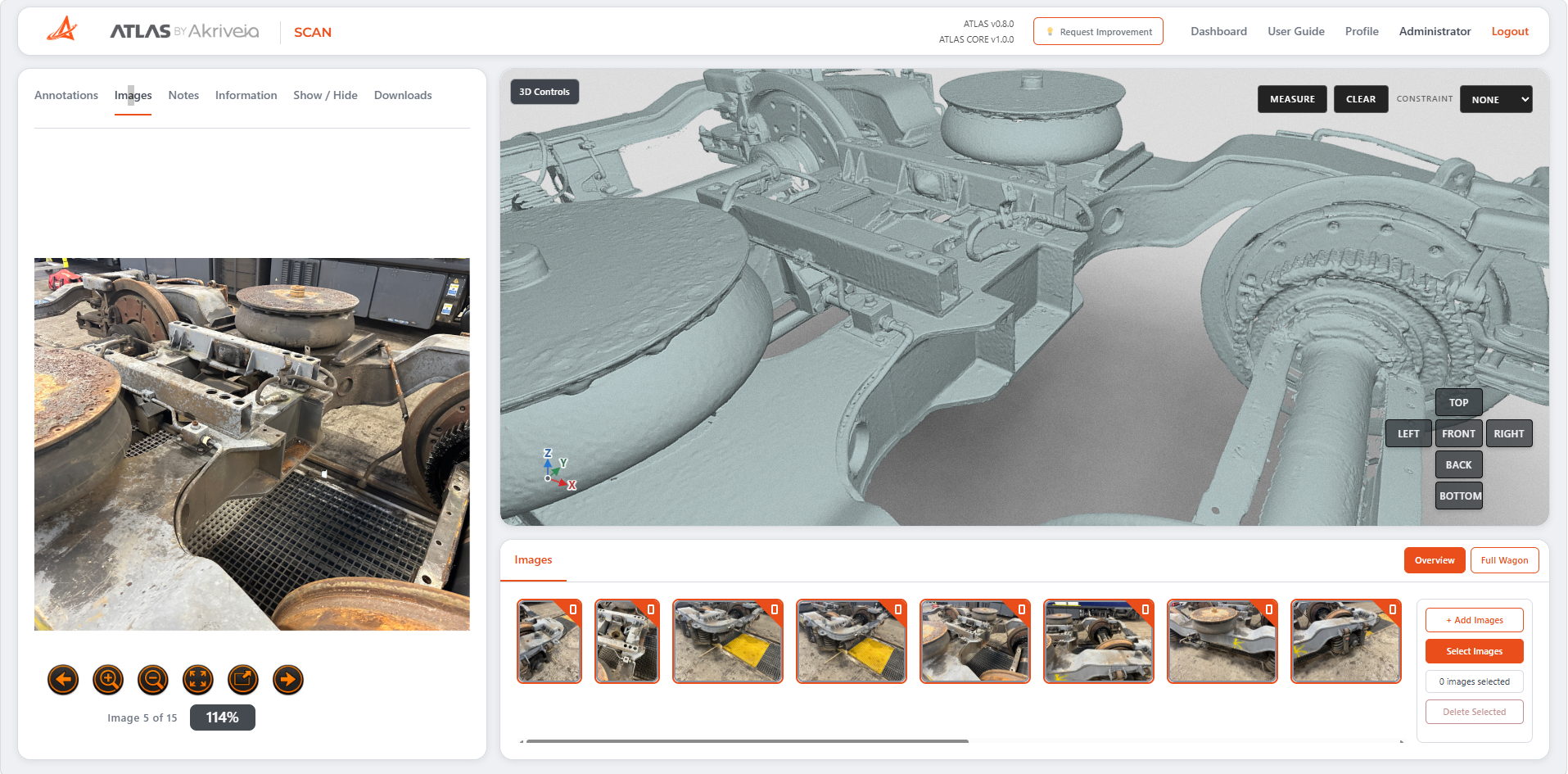
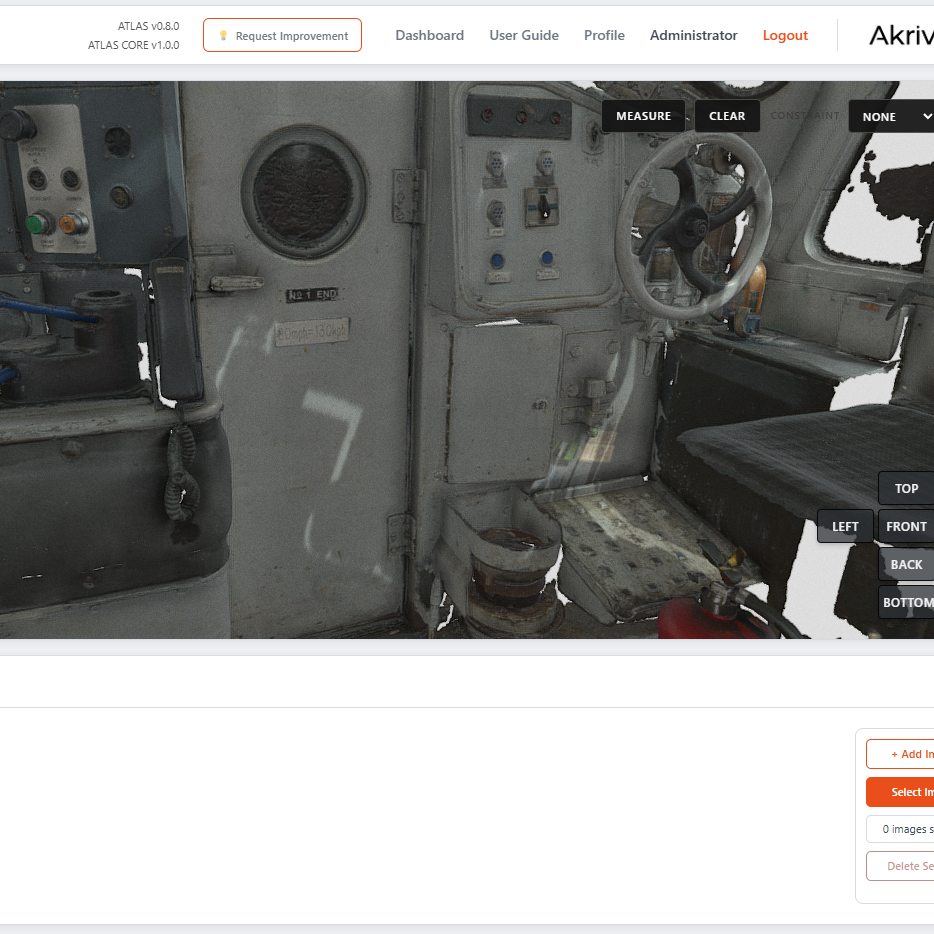
3D Digital Twin
Navigate around the scanned vehicle and view the asset from any angle within the browser.
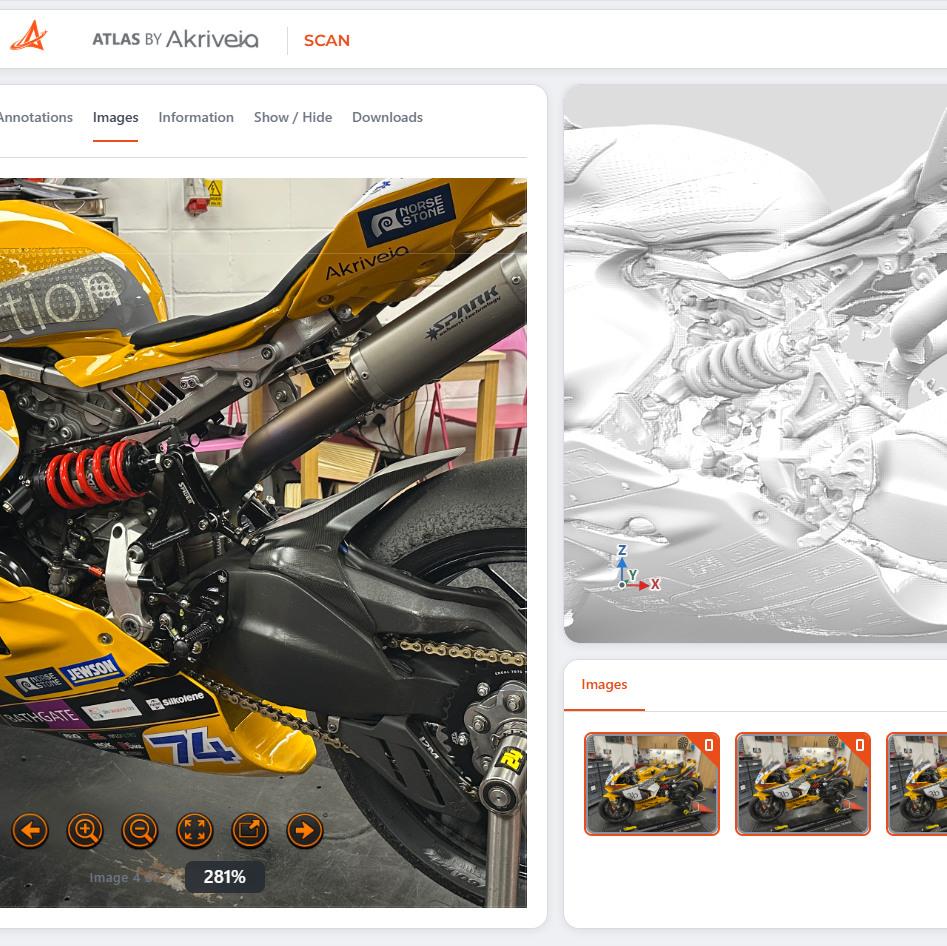
Annotations & Images
Select annotated locations and access photographs associated with areas of interest on the asset.
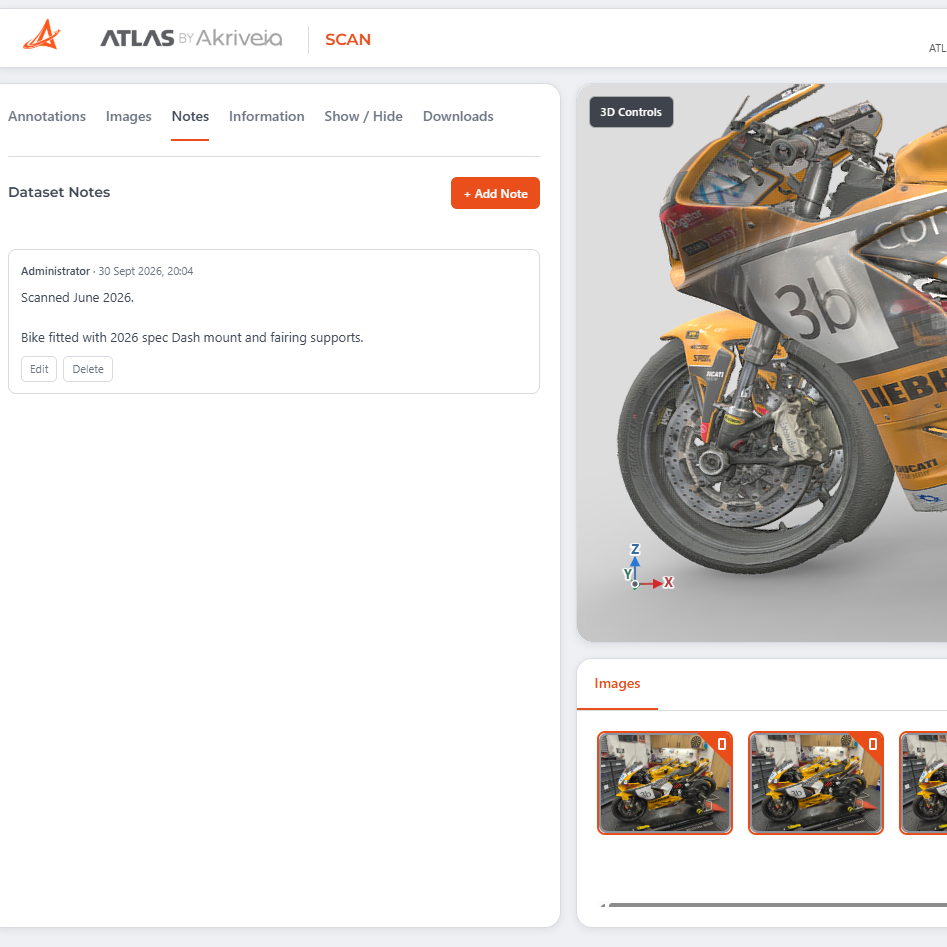
Add Notes to your Datasets
Add notes for other team members to view, or update other users following a review.
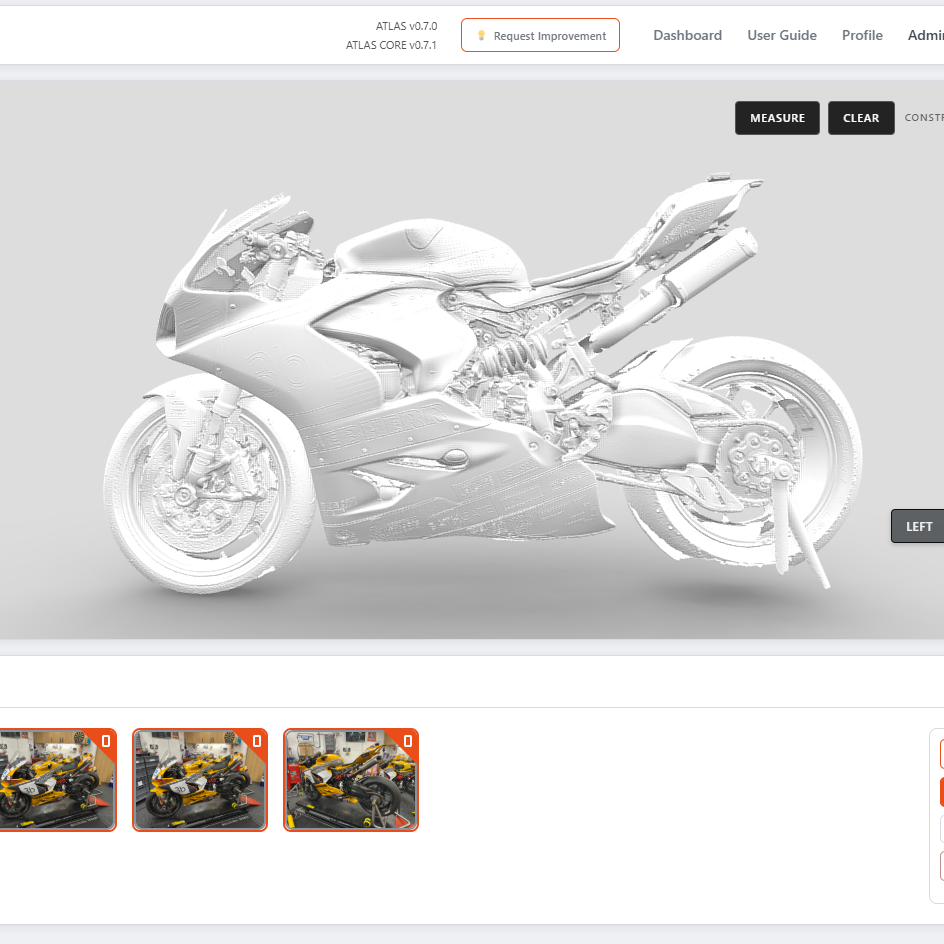
Information & Downloads
Access the information associated with the scan and download the underlying scan data when required.
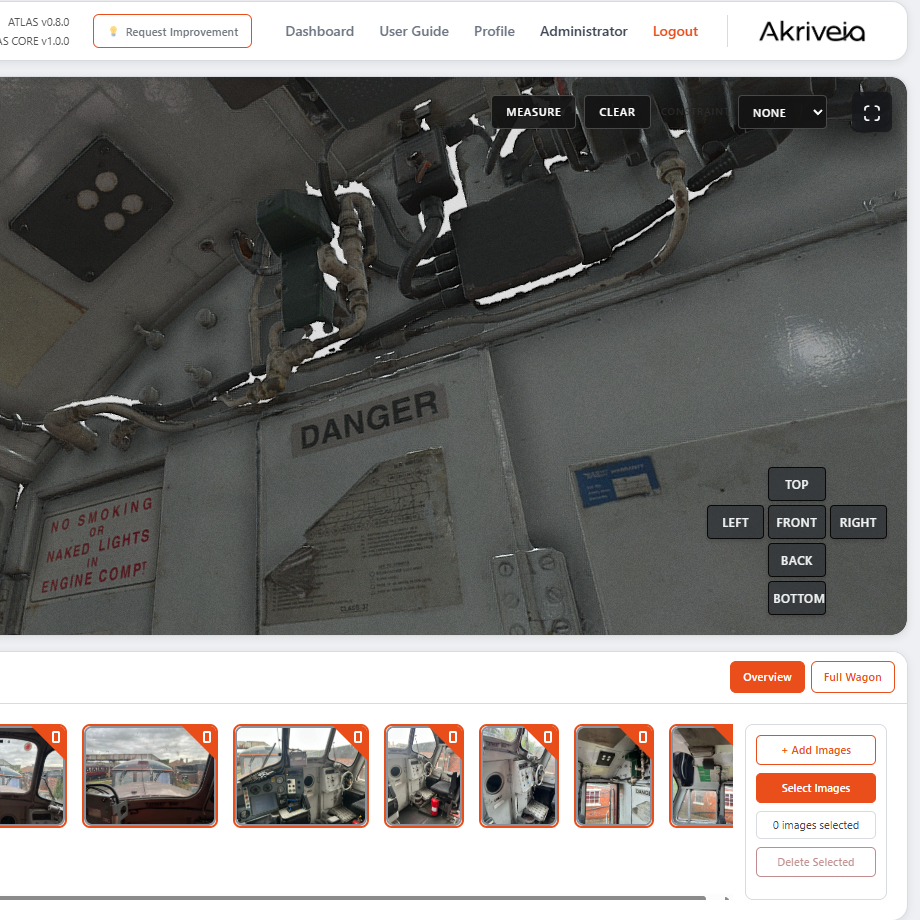
Upload Images
Add images to your dataset, linked to hotspots in the model for easy and quick access to relevant images of specific components.
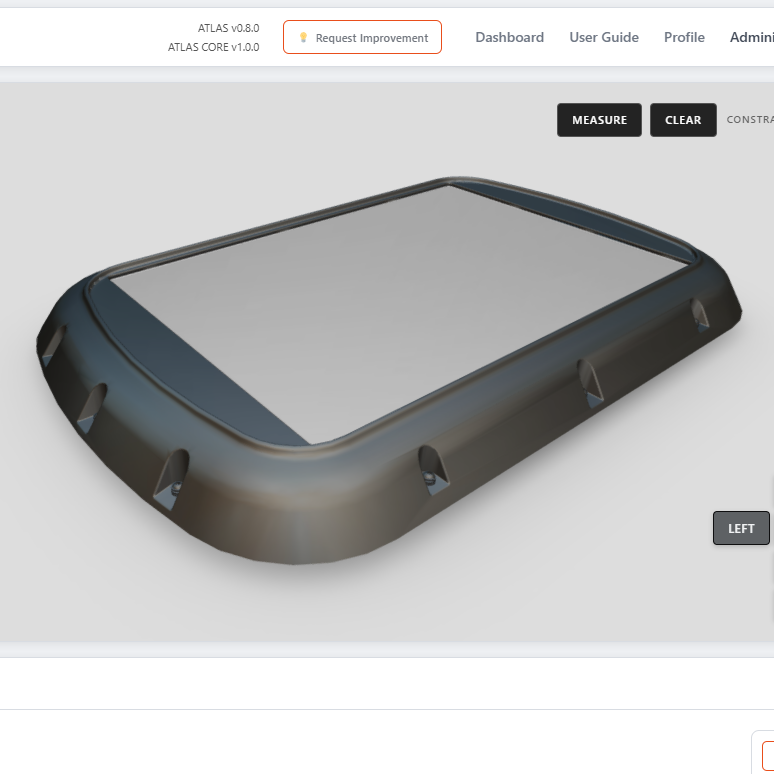
CAD models
ATLAS Scan supports the viewing and import of CAD models, viewable in a regular browser.
Your asset.
Without the journey.
From a complete train to a powerpack, bogie or HVAC unit, ATLAS Scan puts a detailed 3D representation of your asset within instant reach.
The next question
needn’t mean another visit.
Explore the layout, inspect components and take measurements through your browser. Answer questions about the asset’s physical design without arranging a depot visit or waiting for access to the equipment.
Open it when you need it.
Give authorised users instant access to the captured asset in their browser.
Inspect and measure remotely.
Review component positions, explore physical features and check dimensions directly from the scan.
Bring everyone to the same asset.
Give colleagues a shared 3D reference for engineering discussions, wherever they are working.
- Full trains
- Powerpacks
- Bogies
- HVAC units
Your scan data.
Your team. Your project.
Give your team licensed access to ATLAS Scan for the duration of a project. Bring the scan, photographs and project notes together in one shared engineering environment.
Project-based access
Open a browser.
Bring the asset into view.
Explore the scan without specialist viewing software. Give authorised colleagues a clear visual reference whenever a question arises.
Keep project knowledge
with the scan.
Link photographs to locations on the asset and add notes for colleagues. Keep observations connected to the areas they describe.
Access that fits
the project.
Use a short-term Scan licence for the period your team needs access—from engineering investigation to project review and delivery.
One project. One shared reference.
From engineers reviewing component details to project managers checking the asset, give your team quick access to the same scan data—in the office, at the depot or wherever the project takes them.
Turn your physical assets into digital engineering information.
Discover how Atlas Scan can transform 3D scan data into an accessible engineering reference for your organisation.