
Maintenance information.Connected to
the asset.
Connect maintenance documents, drawings and supporting images to the physical asset, with quick access for engineering and workshop teams.
Maintenance information
in context.
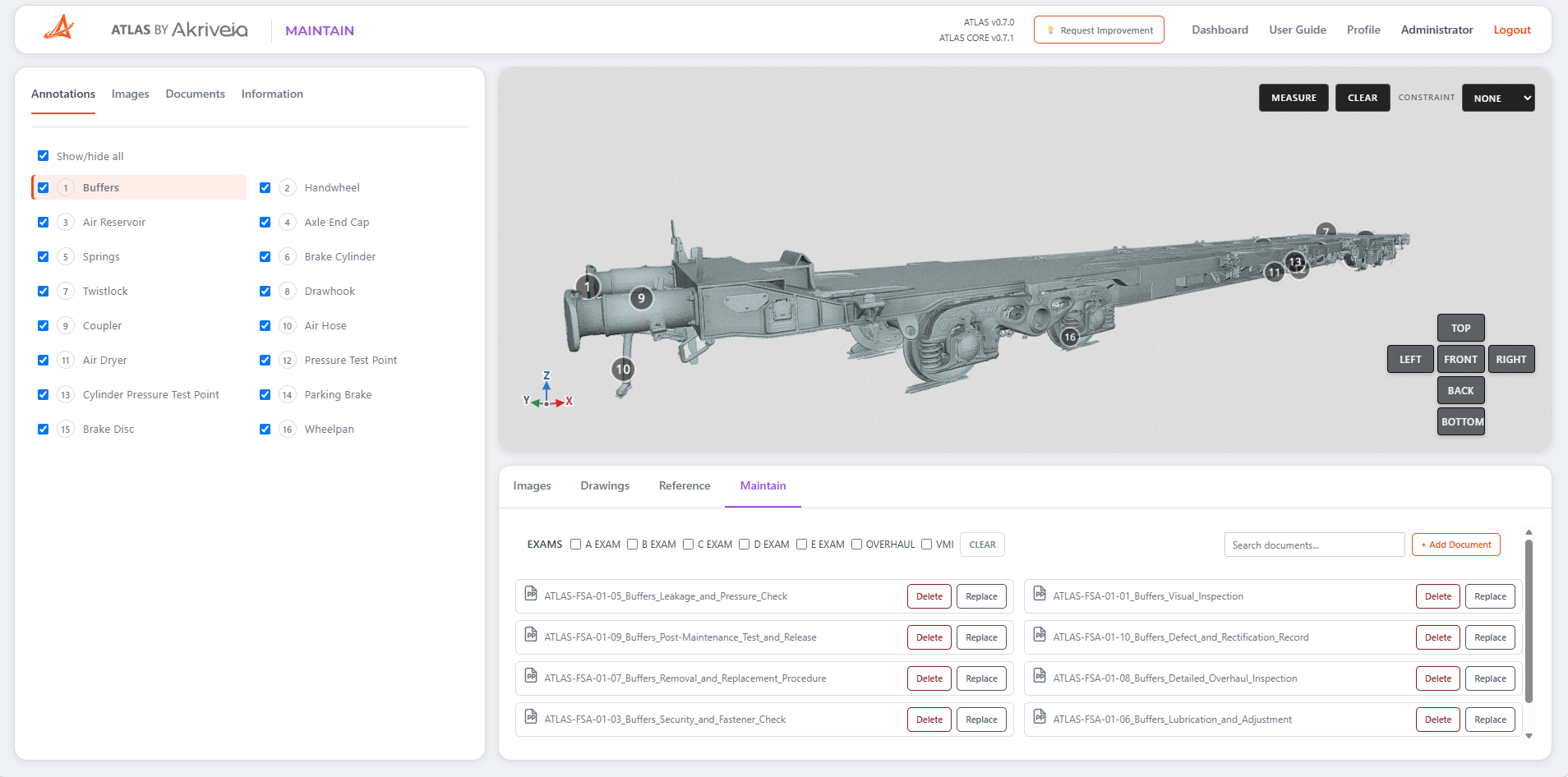
Maintain connects maintenance documents, drawings and supporting images to the relevant components and locations on the physical asset.
3D Digital Twin
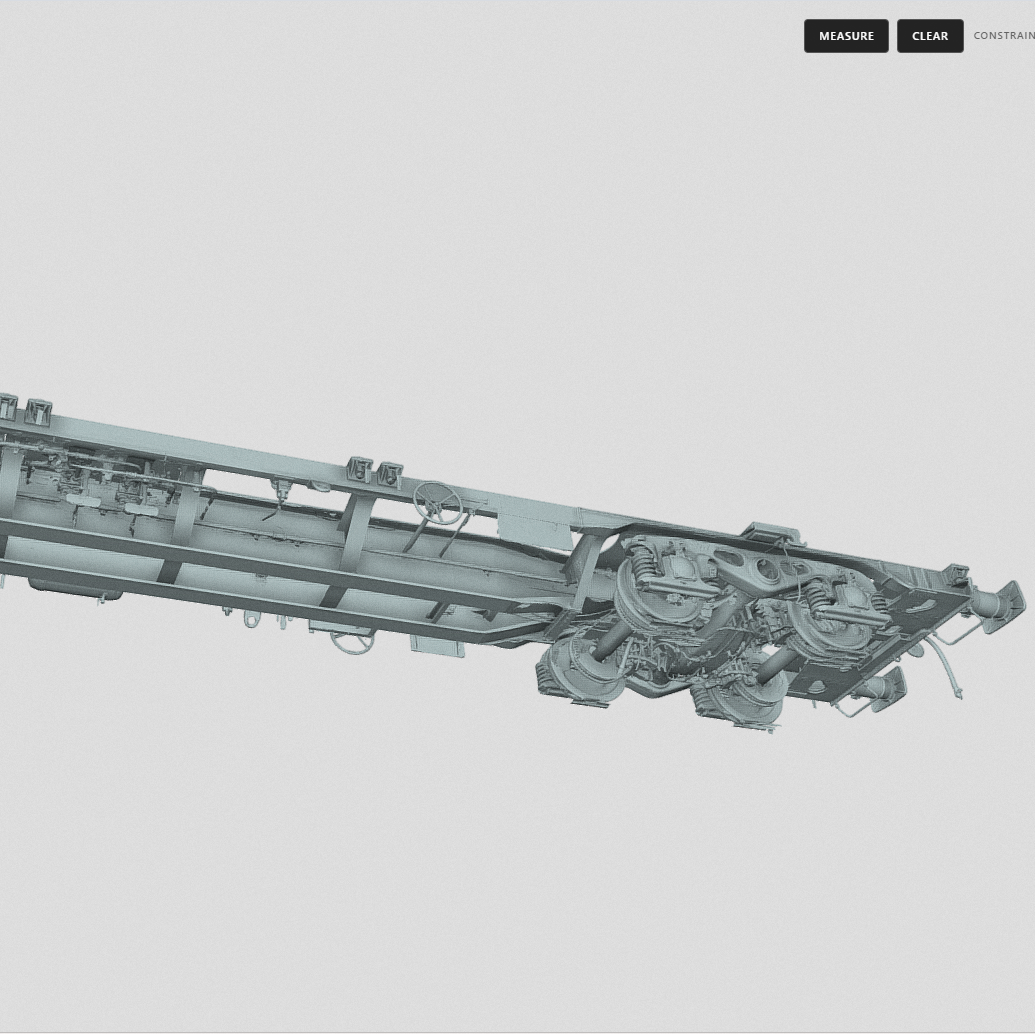
Navigate around the asset and view the physical vehicle in context while working with its maintenance information.
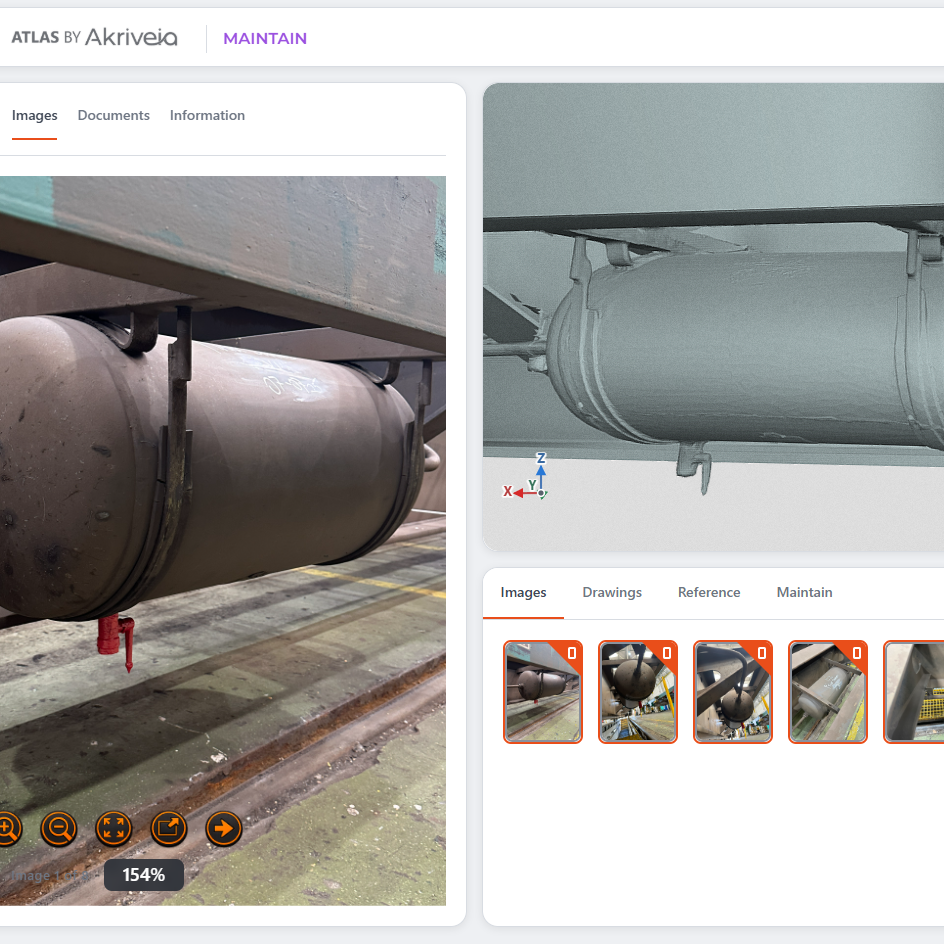
Location Linked Images
Select relevant locations and access photographs, drawings and documents associated with the asset.
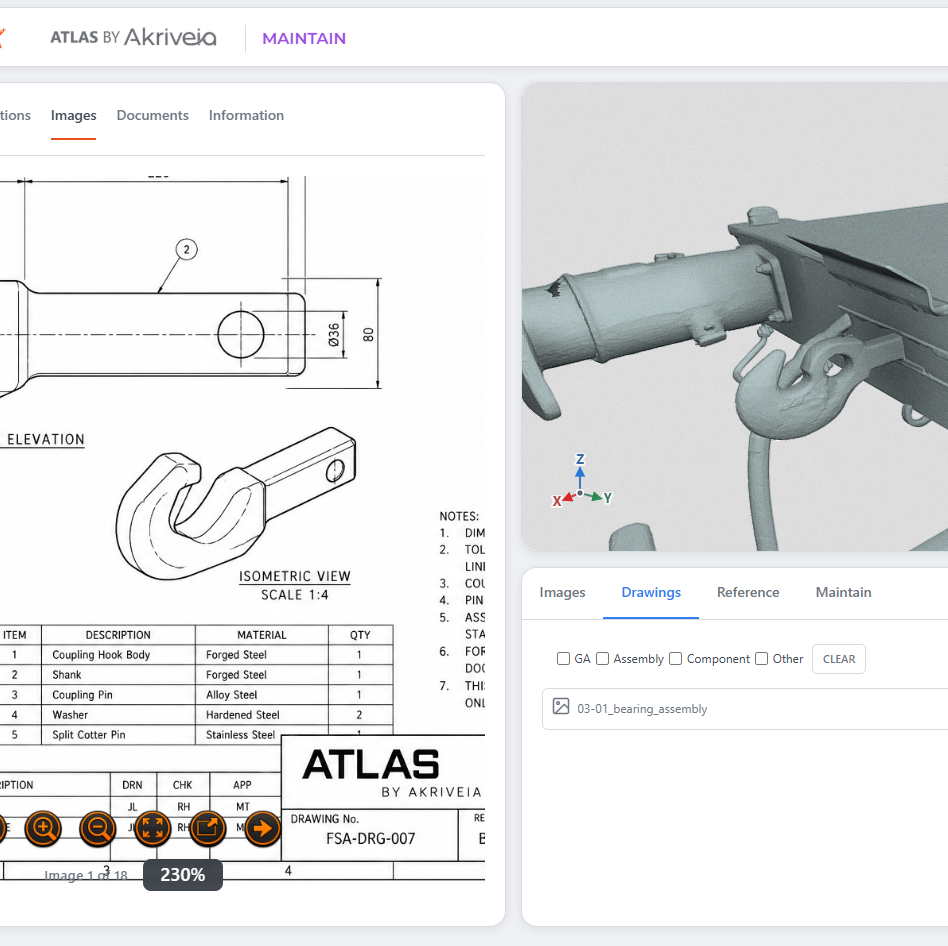
Drawings & Specifications
All of your reference documentation, directly linked to the relevant area of the asset.
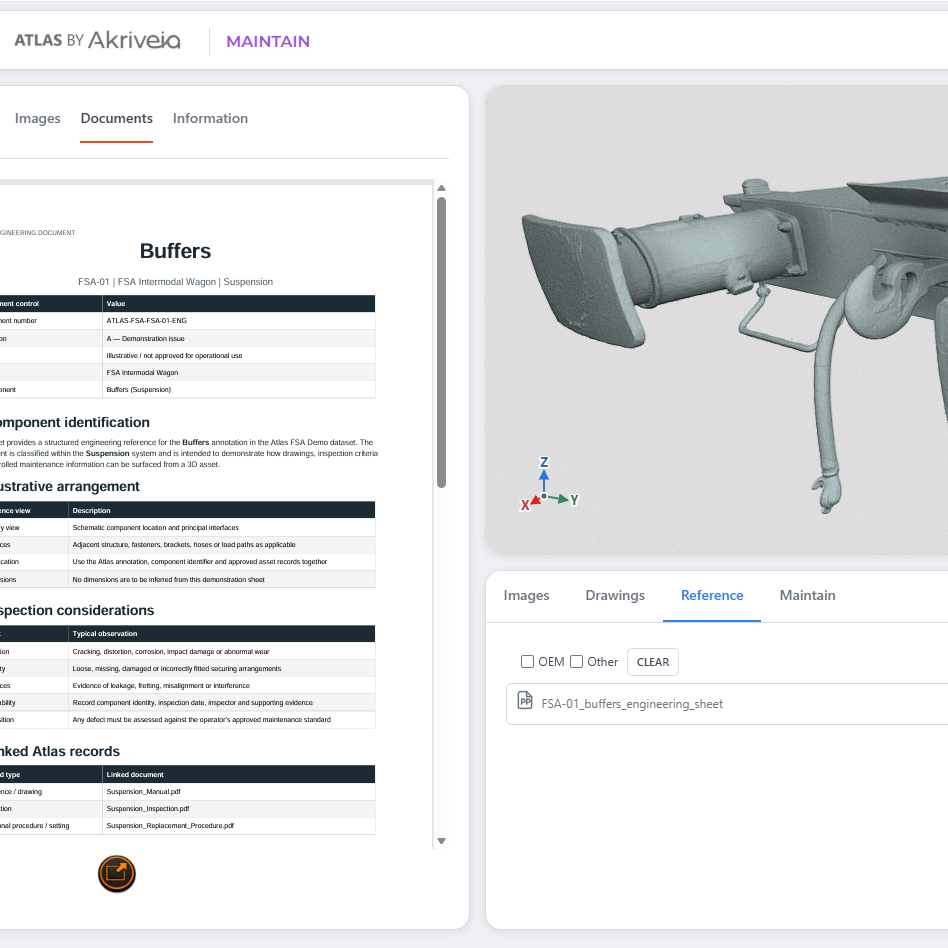
Manage & Upload documents
Keep maintenance documentation up to date or add new documents as they are released.
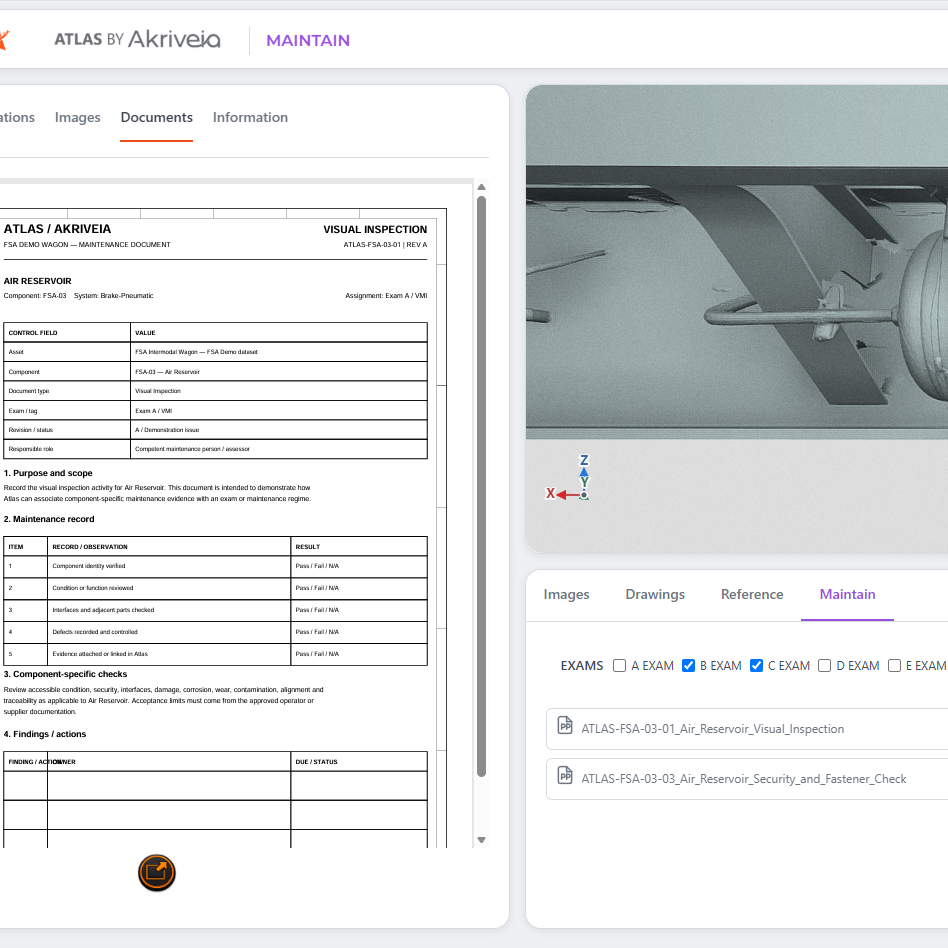
Filter by Exam
Quickly find all documents relating to a specific maintenance period.
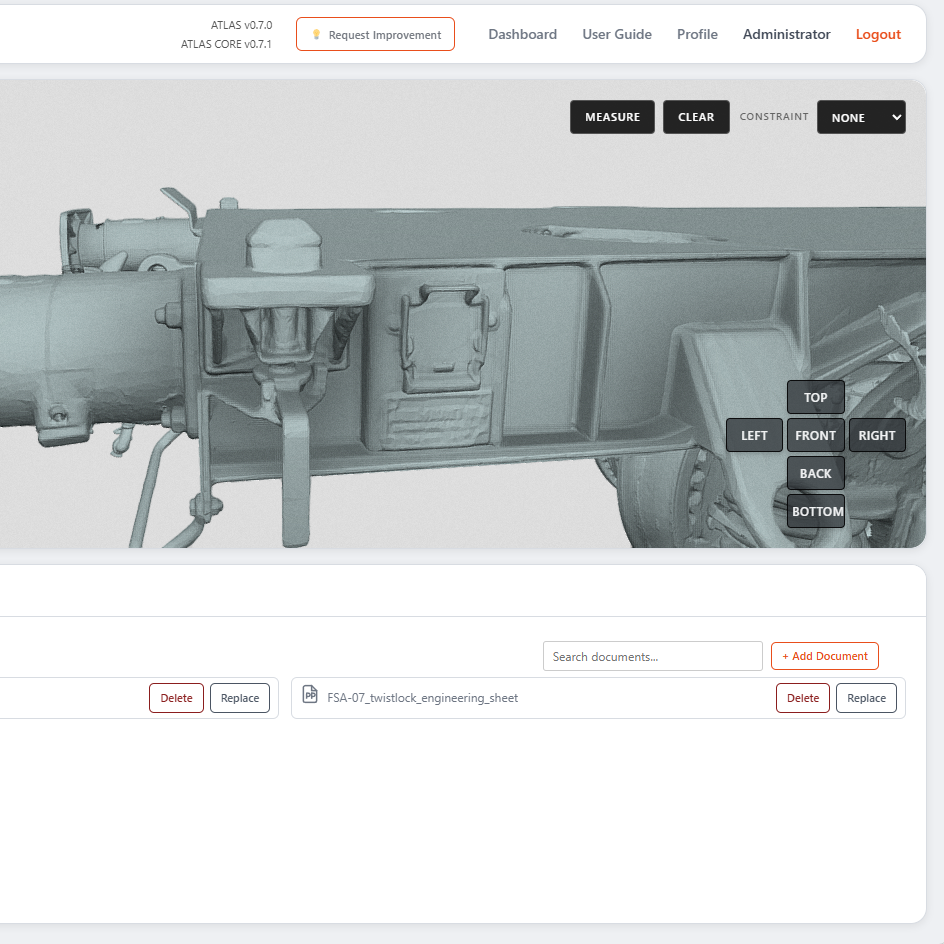
Document Management
Add, replace or delete documents to ensure that reference material is always current.
Maintenance documents.
One scan away.
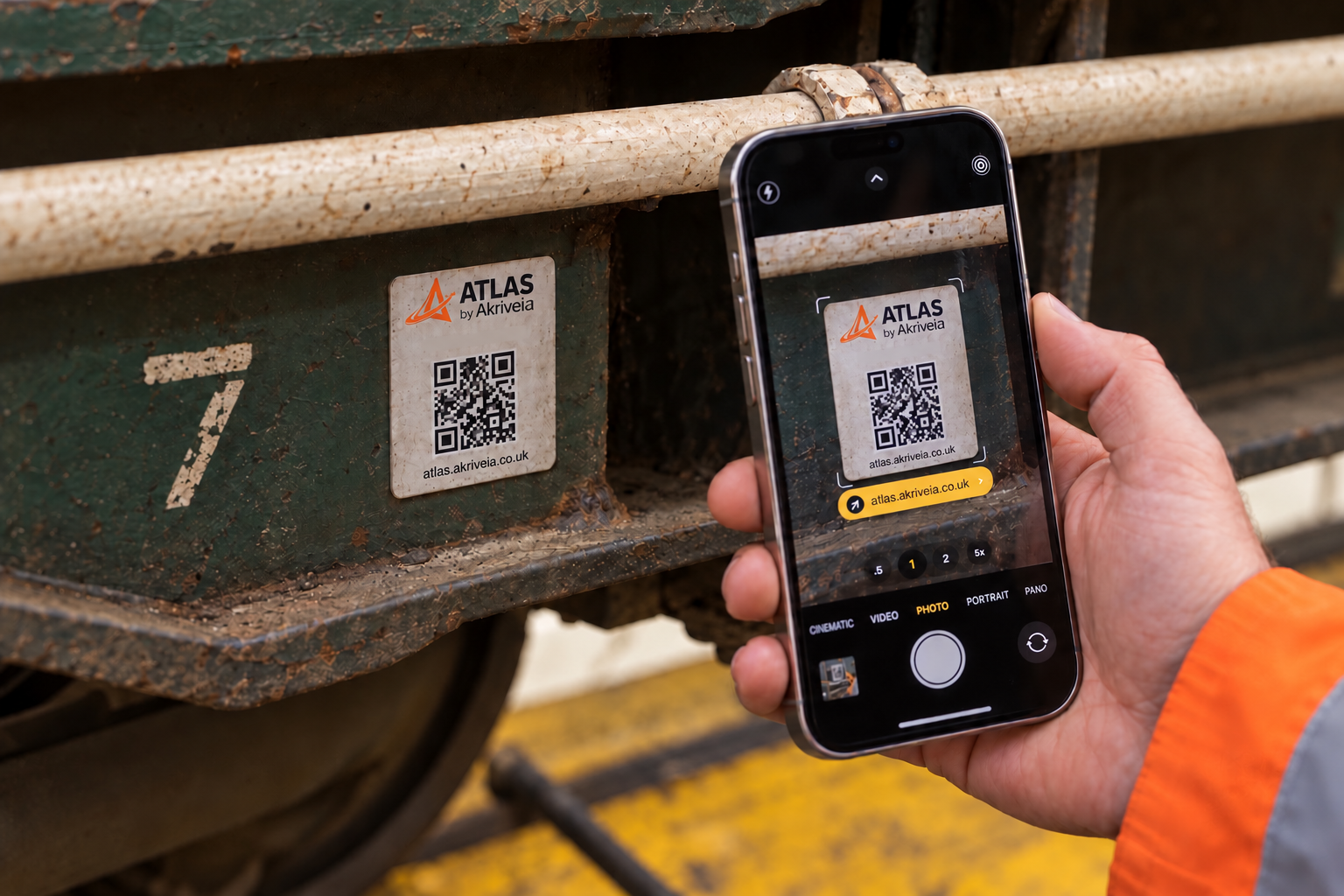
Scan the QR code on an asset to open its associated maintenance information in ATLAS. Give workshop and depot teams a direct route to the documents they need, from the vehicle in front of them.
ready at the point of work.
Built for the shopfloor.
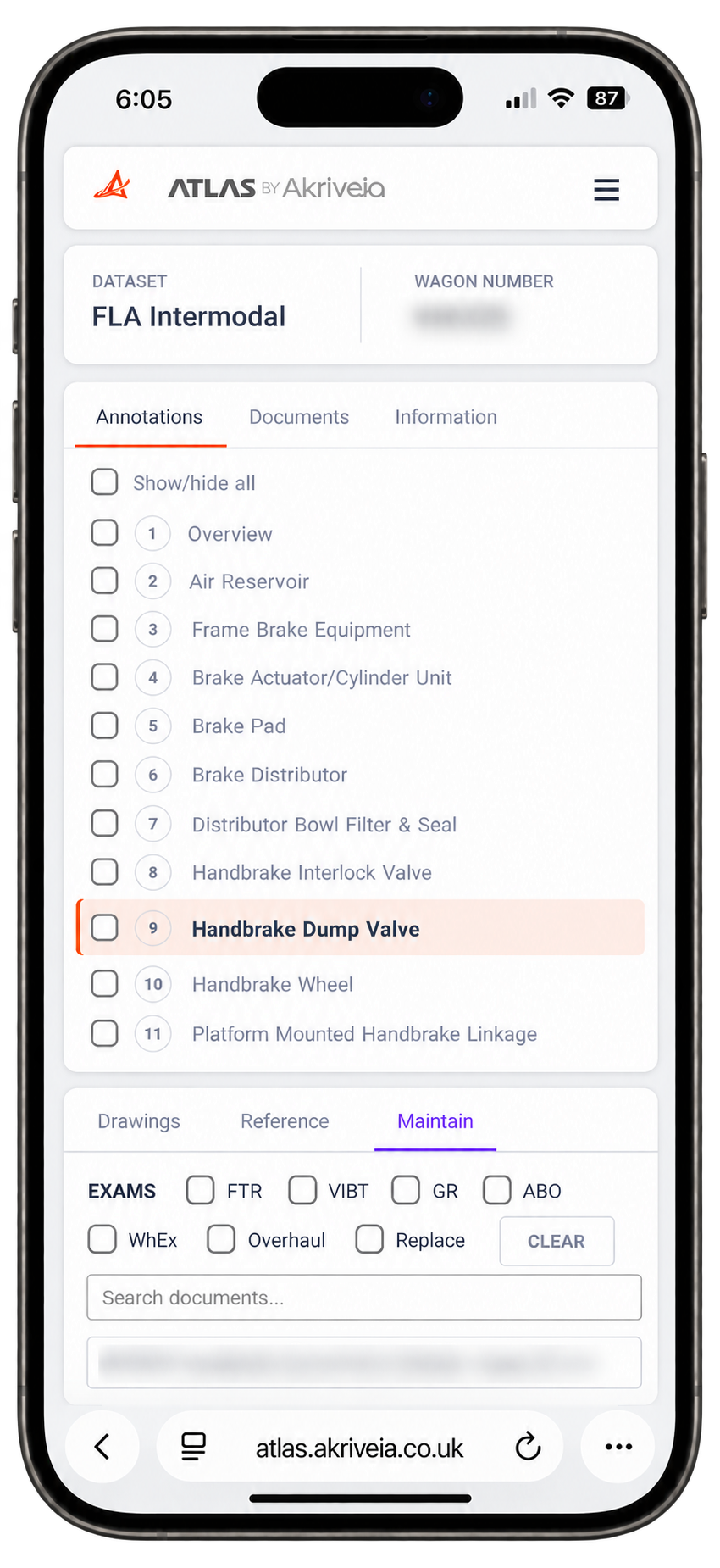
ATLAS Maintain Workshop allows a user to scan an asset’s QR code, providing quick access to its drawings, reference information and maintenance documents. By removing the 3D viewer and image galleries, Maintain Workshop reduces the amount of data loaded, helping teams reach the information they need faster. Maintain Workshop is included with all ATLAS Maintain licences.
Maintain Workshop can also be licensed separately, giving shopfloor teams searchable maintenance information linked to each asset, without requiring the full ATLAS Maintain module.
Identify the asset
Scan the ATLAS QR label using your phone camera. Open the link to access the associated asset, without starting with a manual search through the dashboard.
Access its documents
ATLAS directs to the relevant dataset, allowing the user to browse the drawings, reference information and maintenance instructions available for that asset under your account permissions.
Focus on the task
Select the relevant component or location, search document titles and apply the available maintenance filters to narrow the list to the information the job needs.
Connected to the same information
Workshop access uses the documents held in ATLAS Maintain. When managers add or replace supporting documents, teams access the updated information through the same asset link.
Access stays under your control
The QR code provides a route to the asset. Your ATLAS login and account permissions determine which information you can view.
Connect maintenance to the asset.
Discover how ATLAS Maintain and Maintain Workshop give engineering and shopfloor teams access to the maintenance information associated with each asset.