
Engineering information. Connected.
ATLAS connects engineering information that is traditionally
spread across documents, drawings, images, procedures and
engineer knowledge into one connected digital platform.
One connected platform.
Four focused modules.
Explore the tools built around your rail assets, from detailed 3D scan data to engineering documents, maintenance information and gauging records.
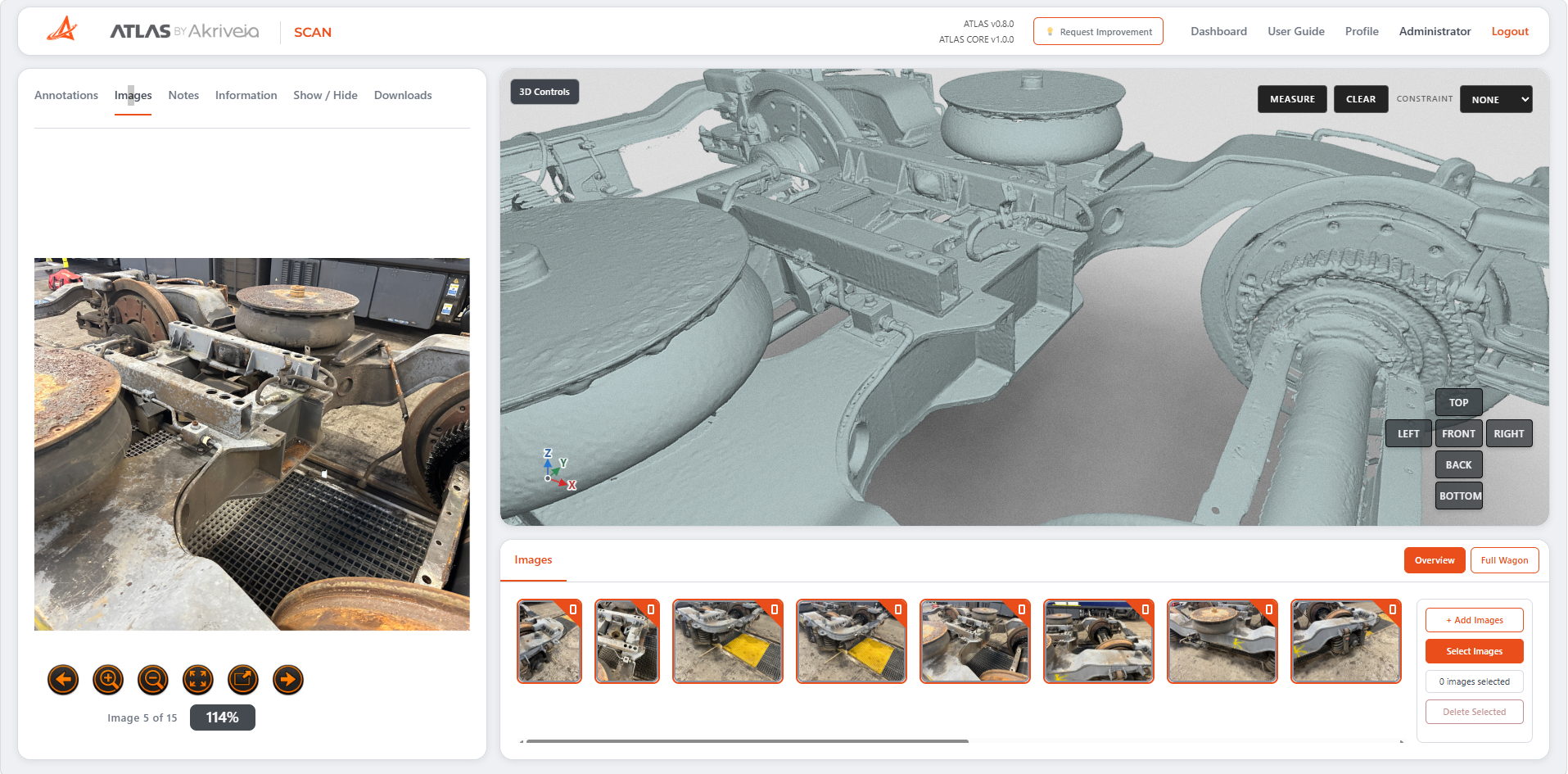
Explore your asset in 3D.
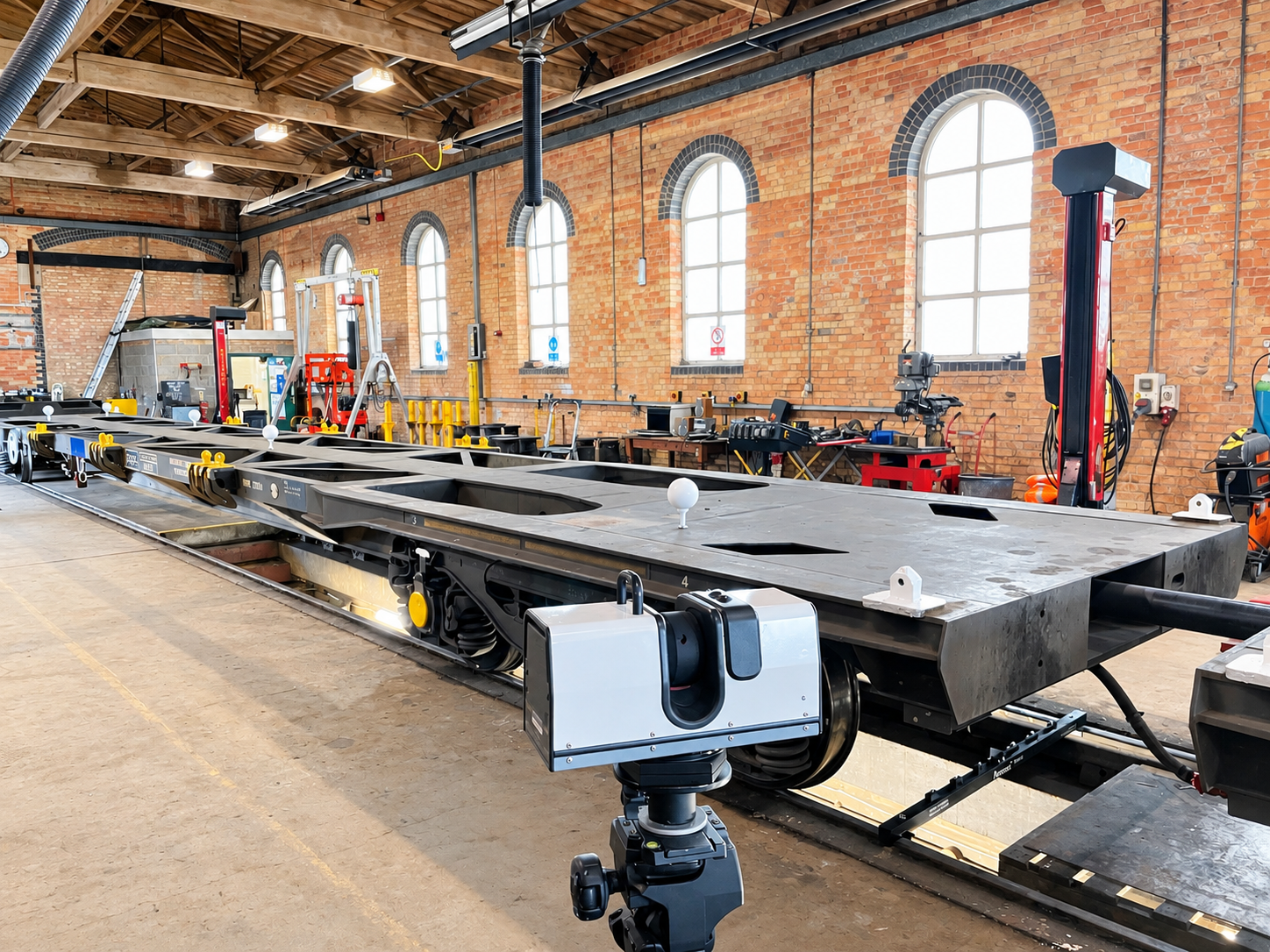
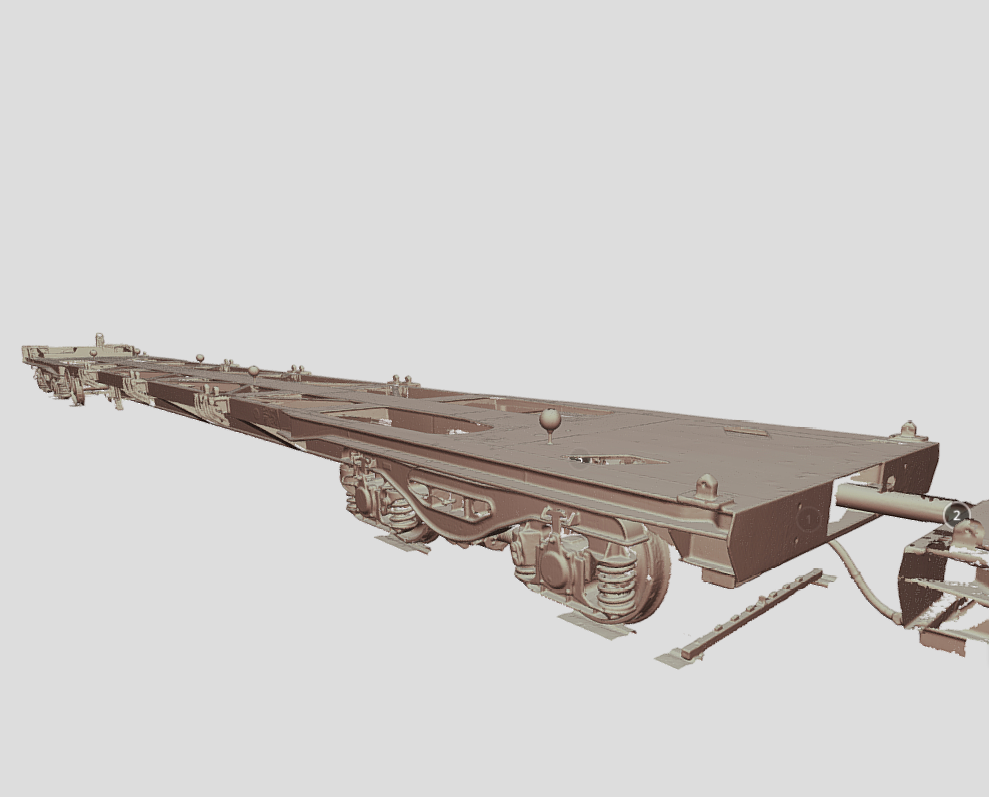
View scan data, take measurements, review photographs and share observations.
Explore Scan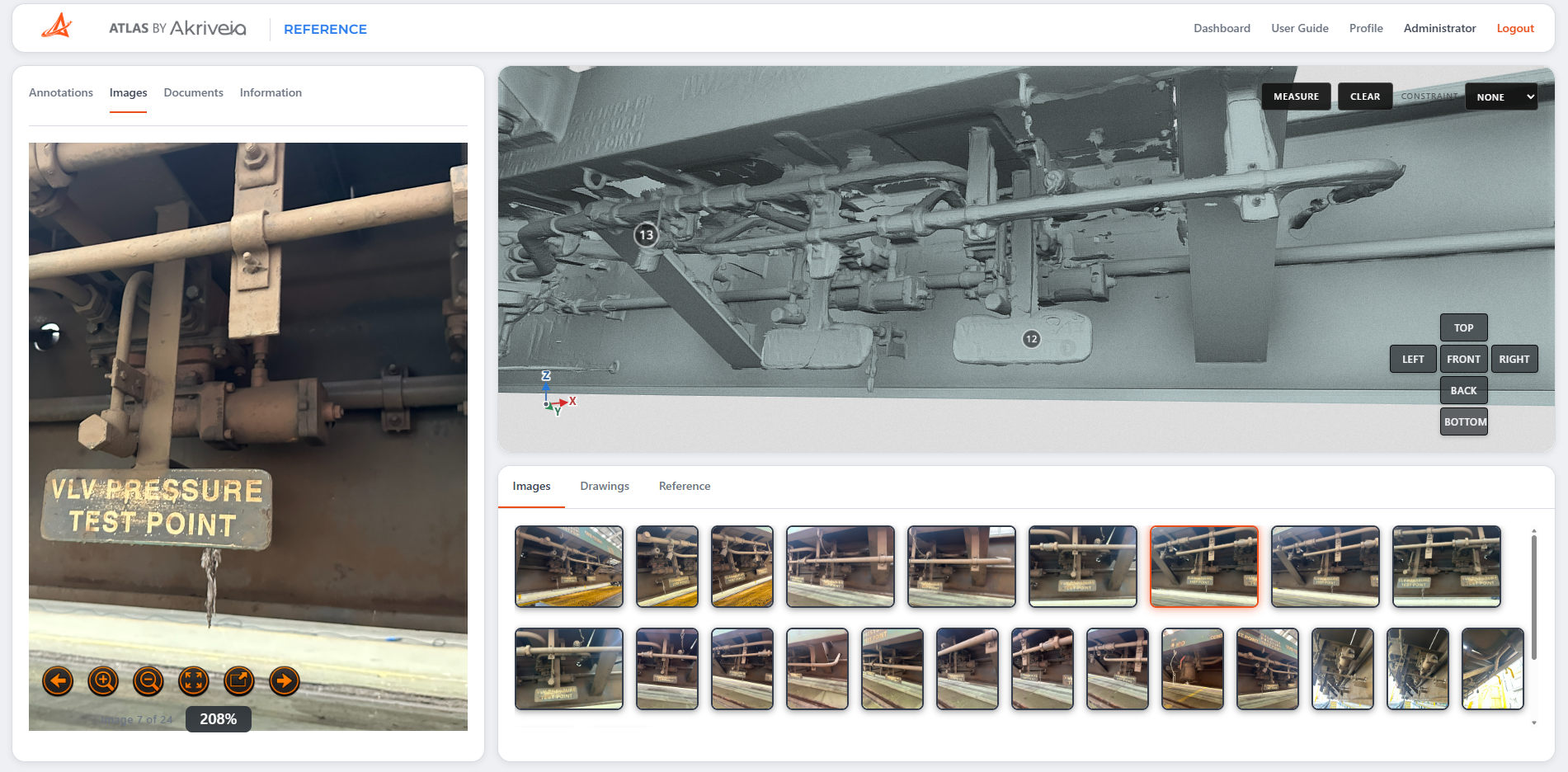
Find the information behind the asset.
Access drawings, specifications and photographs linked to components.
Explore Reference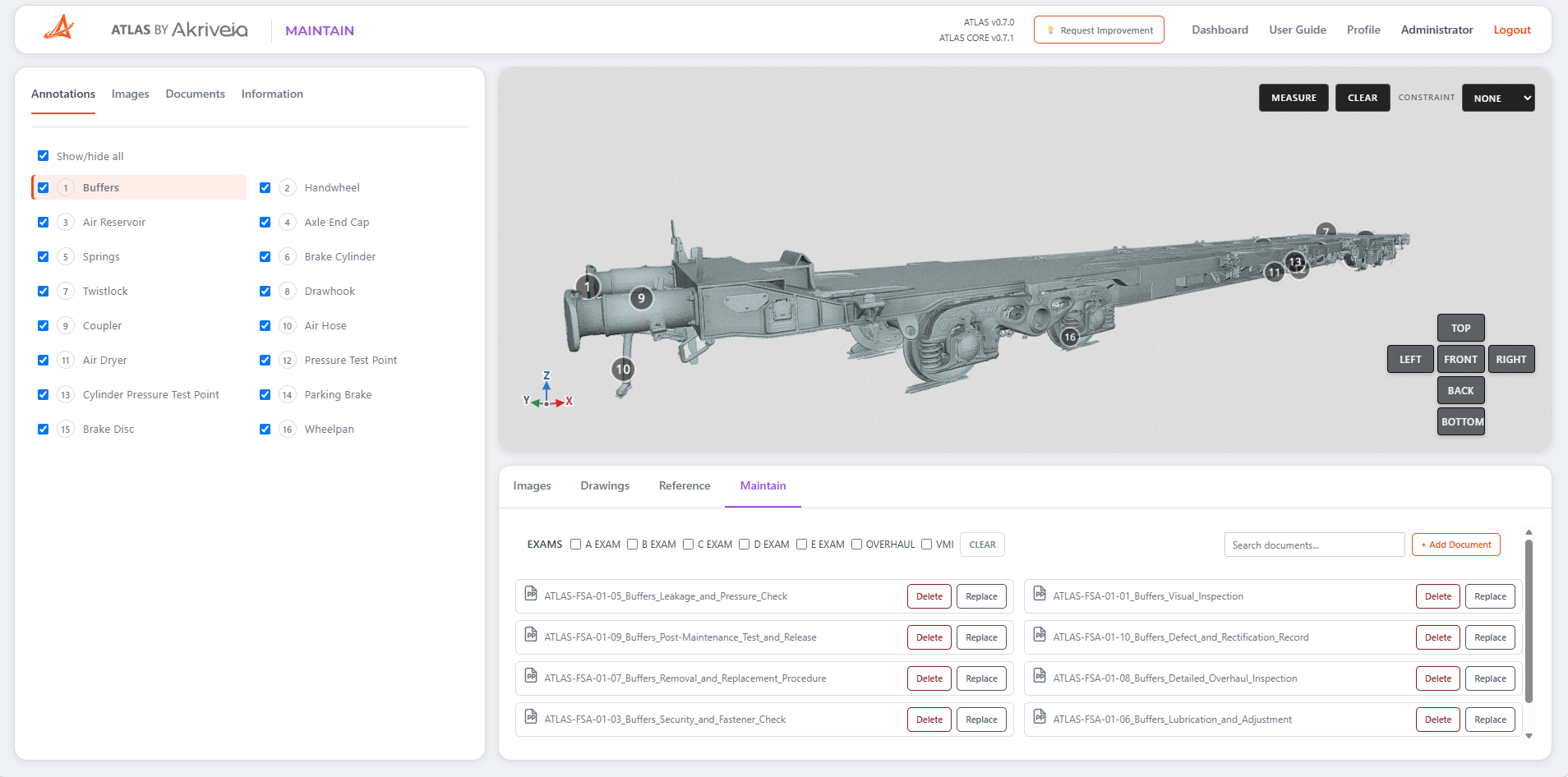
Put maintenance information within reach.
Find instructions and supporting documents by component, examination and work type.
Explore Maintain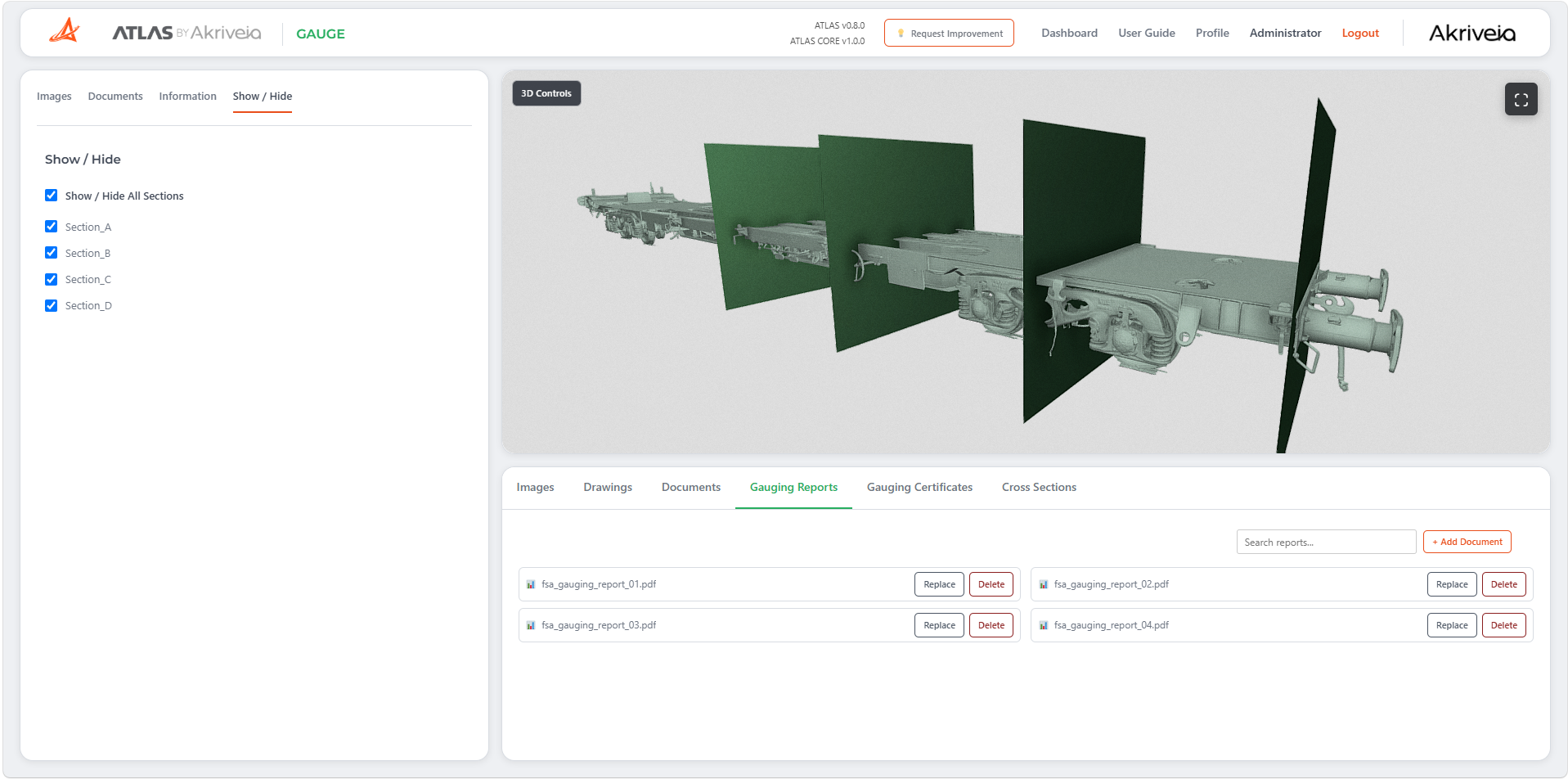
Keep the gauging record together.
Review the survey, cross sections, reports and certificates in one environment.
Explore GaugeStart with the asset.
ATLAS uses the asset as the navigation, explore a freight wagon or a textured motorbike. Rotate and zoom to see the detail captured around each asset.
Explore the freight wagon.
Discover five components within the scan.
Take a closer look.
Select a component to move to its saved view in the scan.
See the surface detail.
Textures capture the photographed appearance of the asset alongside its 3D geometry.
Hide the surface colour textures to compare the underlying shape, keeping the same camera view.
Load the model to begin exploring.
Your engineering data.
Always up to date.
Engineering information changes throughout an asset’s life. ATLAS gives authorised users the tools to keep drawings, specifications, photographs and maintenance documentation organised, accessible and current.
Build your visual record.
Add photographs and associate them with individual components, creating a visual reference alongside your engineering information.
Keep drawings current.
Add, replace or delete engineering drawings, keeping the information available to your teams relevant and up to date.
Manage technical specifications.
Maintain reference documents, specifications and supporting technical information in one organised workspace.
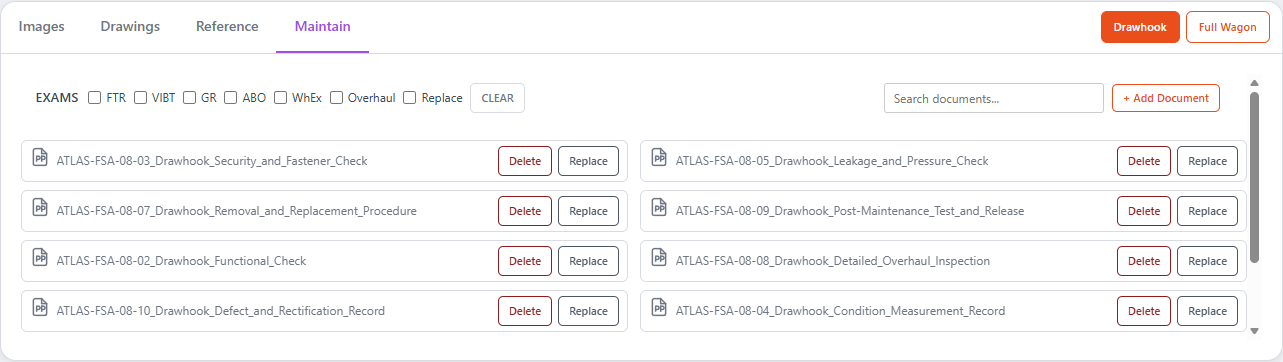
Maintain your documentation.
Add, replace and delete maintenance procedures, inspection documents and supporting records, with search and filtering to find information quickly.
Your engineering information, wherever you need it.
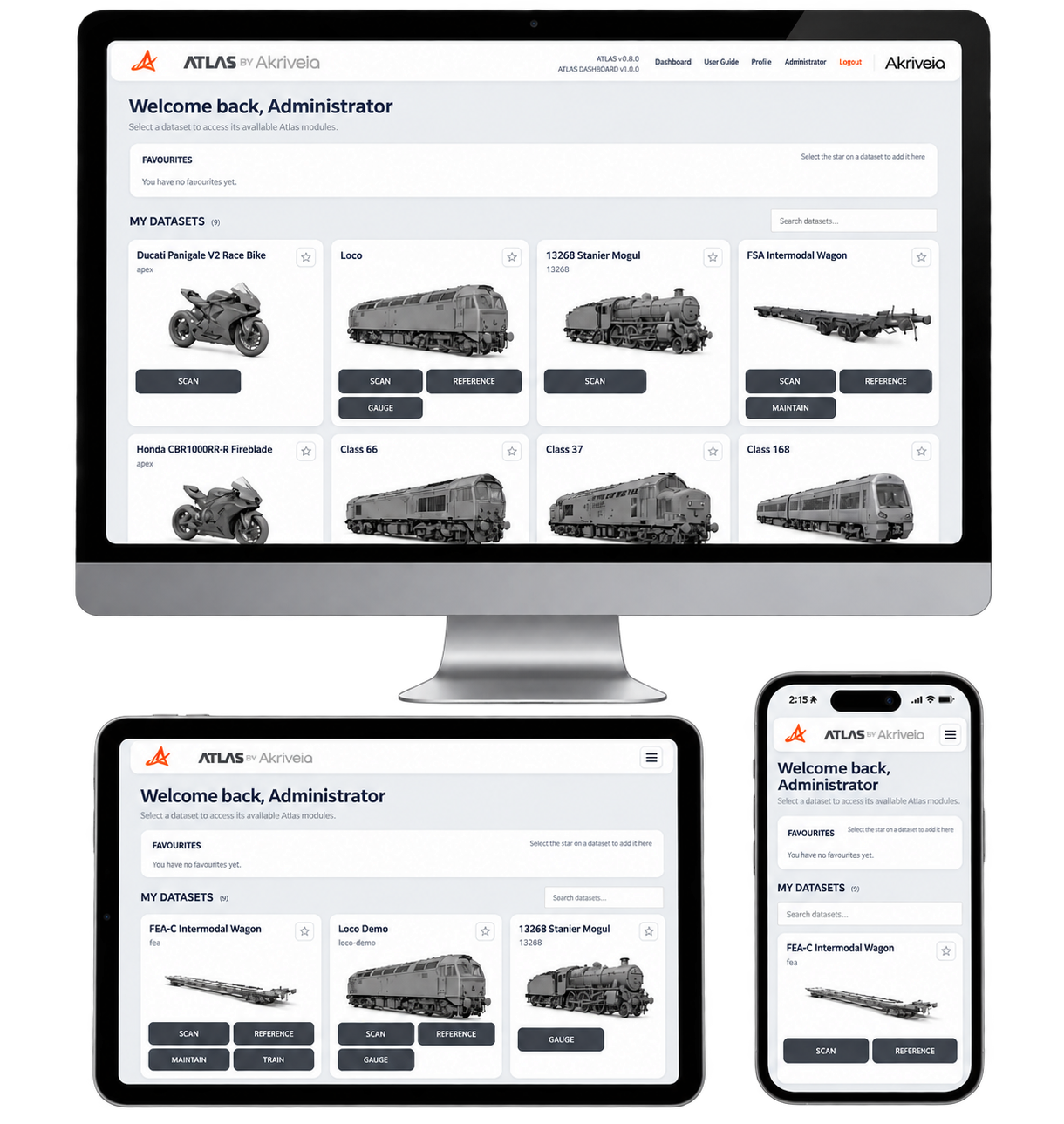
ATLAS gives engineers access to the same datasets, digital twins, documents and engineering information from desktop, tablet or mobile. There is no separate mobile platform and no separate dataset – the same ATLAS platform works across every screen.
One connected experience.
Move from the office to the depot, workshop or trackside without changing the way you access your engineering data. ATLAS adapts the interface to the device while keeping the underlying information and dataset consistent.
Access the same asset information on every device.
The interface adapts naturally to the screen in use.
No duplicated systems or separate mobile dataset.
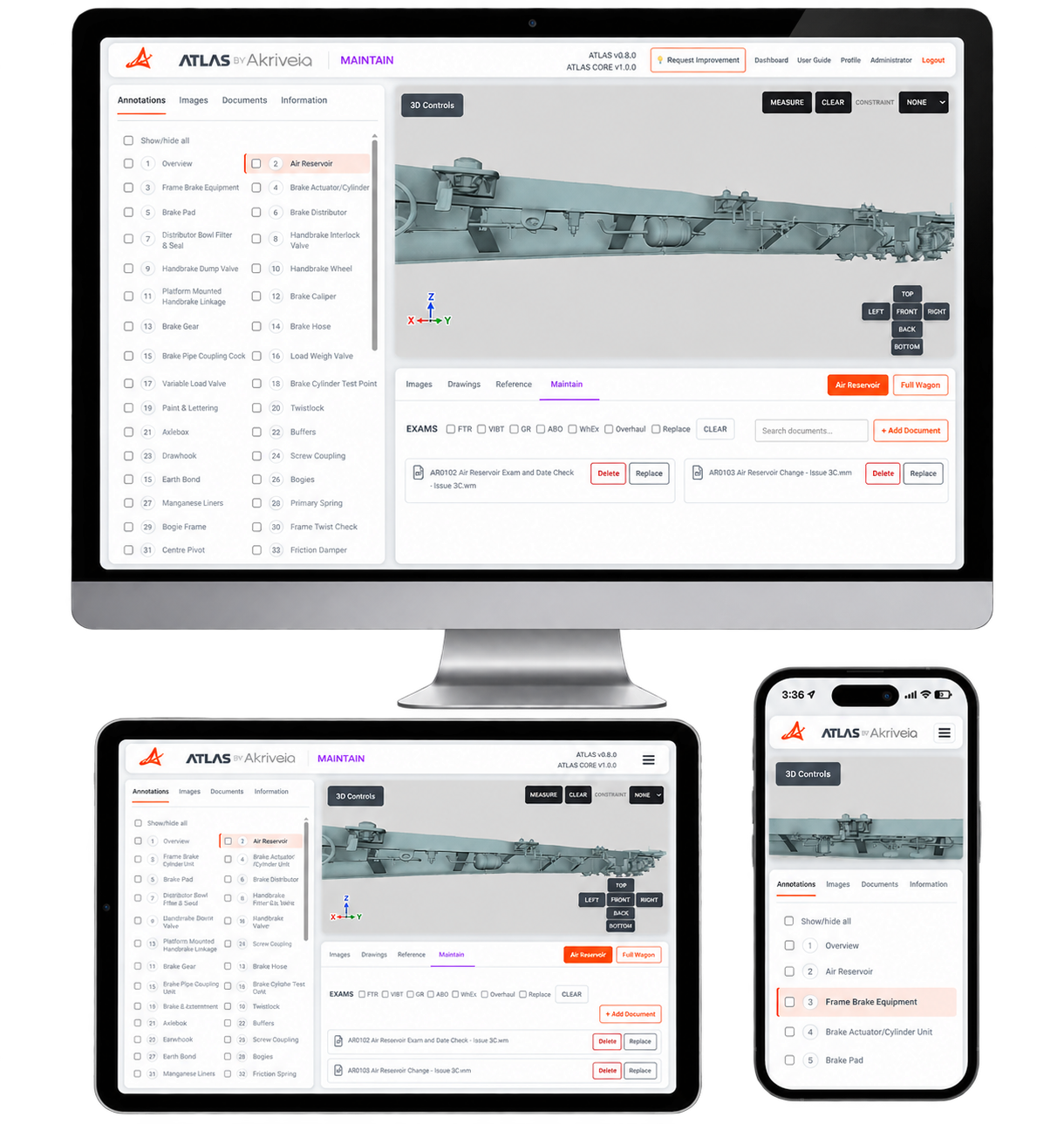
From the full engineering workstation to the engineer in the field.
The interface changes to suit the screen. The engineering information does not.
Rail assets. Real insight.
ATLAS connects the engineering information around the physical asset, creating a single structured reference point for the asset lifecycle.
From the initial digital capture through engineering documentation, maintenance information, inspections and future knowledge, ATLAS keeps information connected to the asset it describes.
One platform.Four focused modules.
Each ATLAS module builds on the same connected engineering platform, adding the tools and information needed for different engineering workflows.
| Module | 3D Viewer | Images | Drawings | Reference Documents | User Uploads | Maintenance Documents | Search Tools | Gauging Reports | Gauging Certificates | Cross Sections | QR Code Access |
|---|---|---|---|---|---|---|---|---|---|---|---|
| Scan | ✓ | ✓ | × | × | ✓ | × | × | × | × | × | × |
| Reference | ✓ | ✓ | ✓ | ✓ | ✓ | × | ✓ | × | × | × | ✓ |
| Maintain | ✓ | ✓ | ✓ | ✓ | ✓ | ✓ | ✓ | × | × | × | ✓ |
| Gauge | ✓ | ✓ | ✓ | ✓ | ✓ | × | ✓ | ✓ | ✓ | ✓ | × |
Scan the asset.Find the documents.
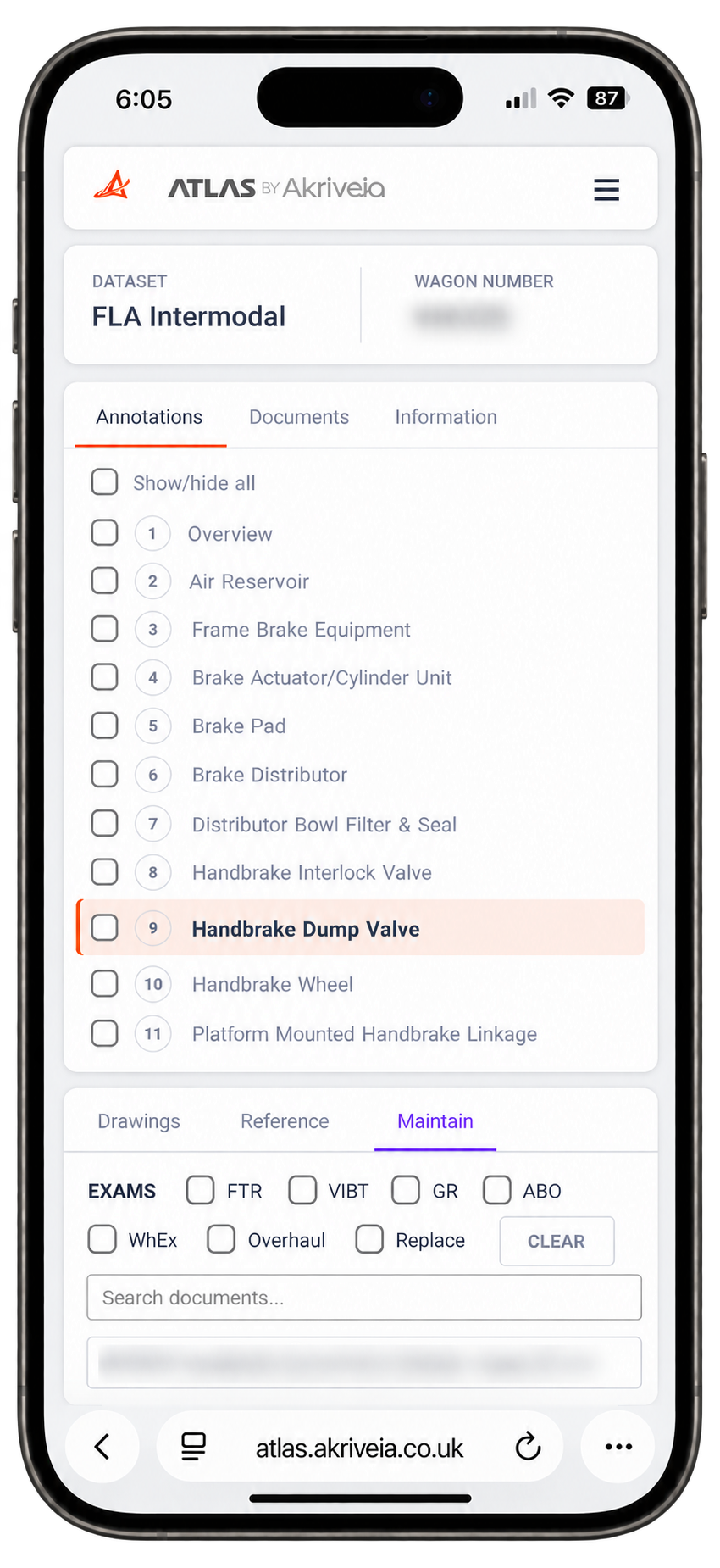
Scan a QR code on the asset to quickly access its maintenance documents in ATLAS.
From drawings and reference information to maintenance instructions, give workshop teams a direct route to the documents associated with the asset in front of them. Search and filter on a phone, with the information ready where the work happens.
Explore ATLAS Maintain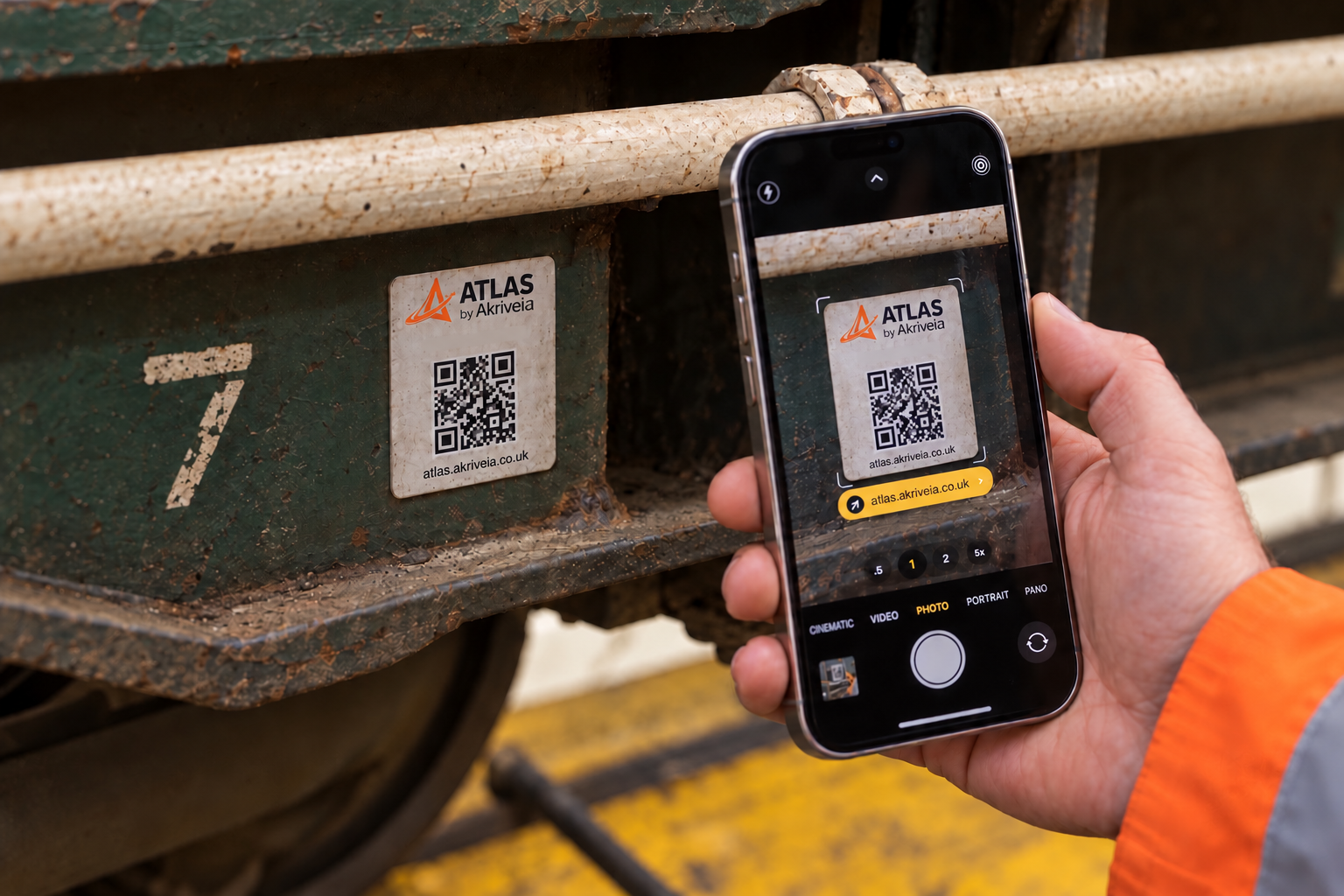
Scan the QR code
Use your phone camera to scan the ATLAS label on the asset.
Open the asset in ATLAS
Sign in if required to access the information available to your account.
Find what the job needs
Search and filter the associated drawings, reference documents and maintenance instructions.
Engineering information, securely controlled.
Atlas is designed to give organisations control over who can access engineering information, what they can see, and what they can do with it.
Multi-Level Permissions
Control access at organisation, fleet, asset and user level, ensuring information is only available to the people who need it.
Role-Based Access
Define what different users can view, edit, upload and manage, from engineers and maintenance teams to administrators.
Secure Infrastructure
Atlas is hosted on secure, professionally managed infrastructure designed for business-critical engineering information.
Information Security
Atlas is designed to support controlled access and responsible management of engineering information across teams and organisations.
Transform the way your engineering information is managed.
Discover how ATLAS connects engineering information into one secure platform designed for modern engineering organisations.